
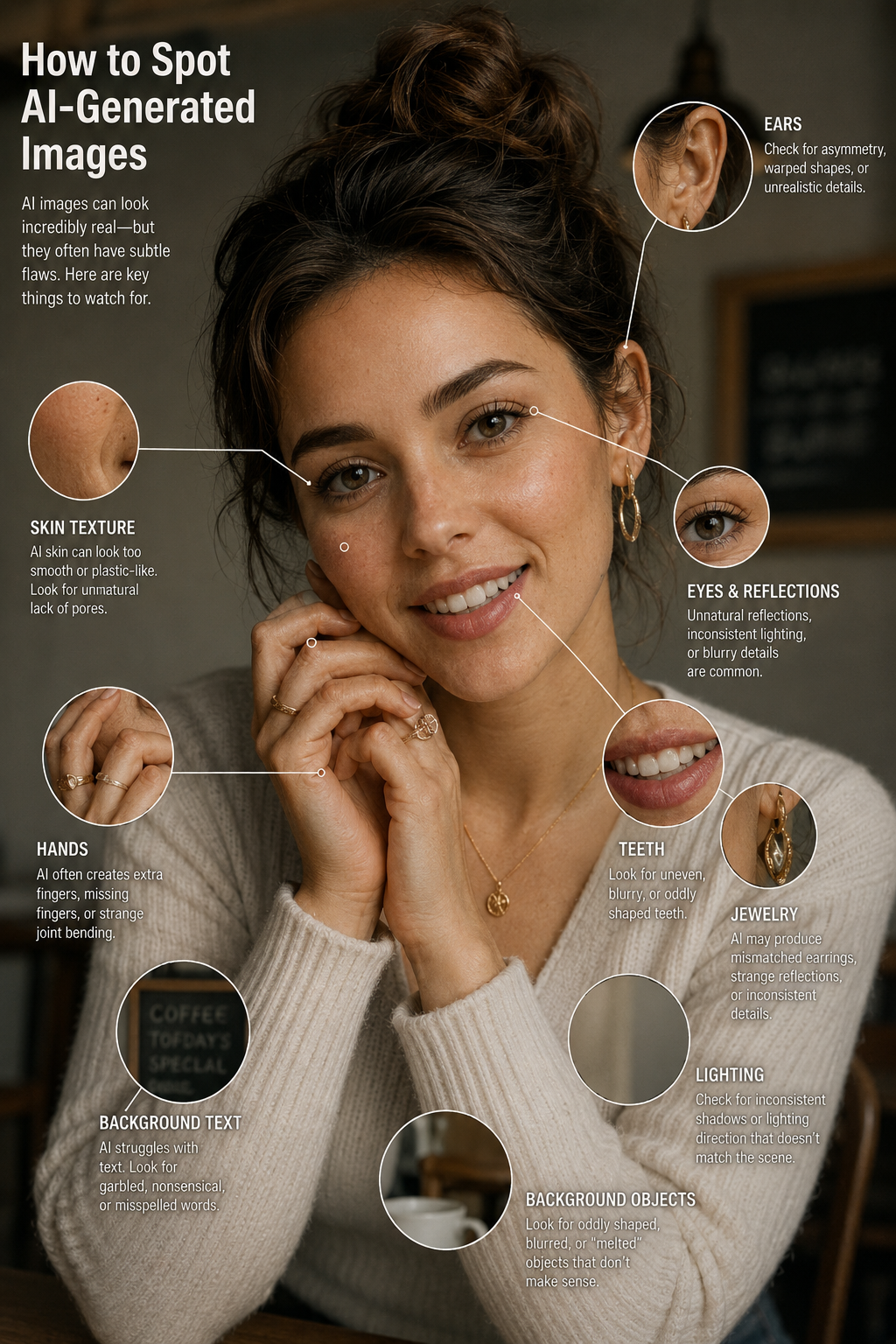
For images, look at the fine details, not the big picture
Text in backgrounds is often garbled; jewellery patterns sometimes don't repeat correctly; textures like lace or embroidery look slightly off up close. Lighting inconsistencies are a tell, shadows falling in different directions. Zoom in if something feels wrong.
For photos of people, look at the edges
Where hair meets the background, where hands meet objects, where clothing edges sit, these transitions are where AI-generated images most often show their seams. Ears are another place to check; AI frequently renders them asymmetrically.
The reverse image search test
Open Google Images, tap the camera icon, upload or paste the image URL. If it doesn't appear anywhere, or only on one suspicious-looking page, treat it with caution.
Ask Gemini directly, and use aiornot.com
Google builds an invisible SynthID watermark into AI-generated images. Upload a suspicious image to Gemini and ask if it was AI-generated. For any image, sites like aiornot.com and wasitai.com give an instant verdict, free, no account, ten seconds. Bookmark one.
For voice and video, trust your instincts
AI voices have unusually perfect pronunciation, no hesitations, no variation. In video, lip sync in deepfakes is often slightly delayed. If a message creates urgency, "send money now," "don't tell anyone", stop and call the person directly on a number you already have. Urgency is the biggest red flag.
For text, look for personality, or the absence of it
AI-written text is well-structured and balanced but rarely takes a strong personal stance or makes mistakes only a human would make. If it seems too polished or strangely free of personality, paste it into gptzero.me.
The most important rule
Before sharing anything that made you feel shocked, angry, or urgently compelled to act, pause. Those emotional reactions are often exactly what AI-generated misinformation is designed to trigger. Slow down, check, and then decide.